
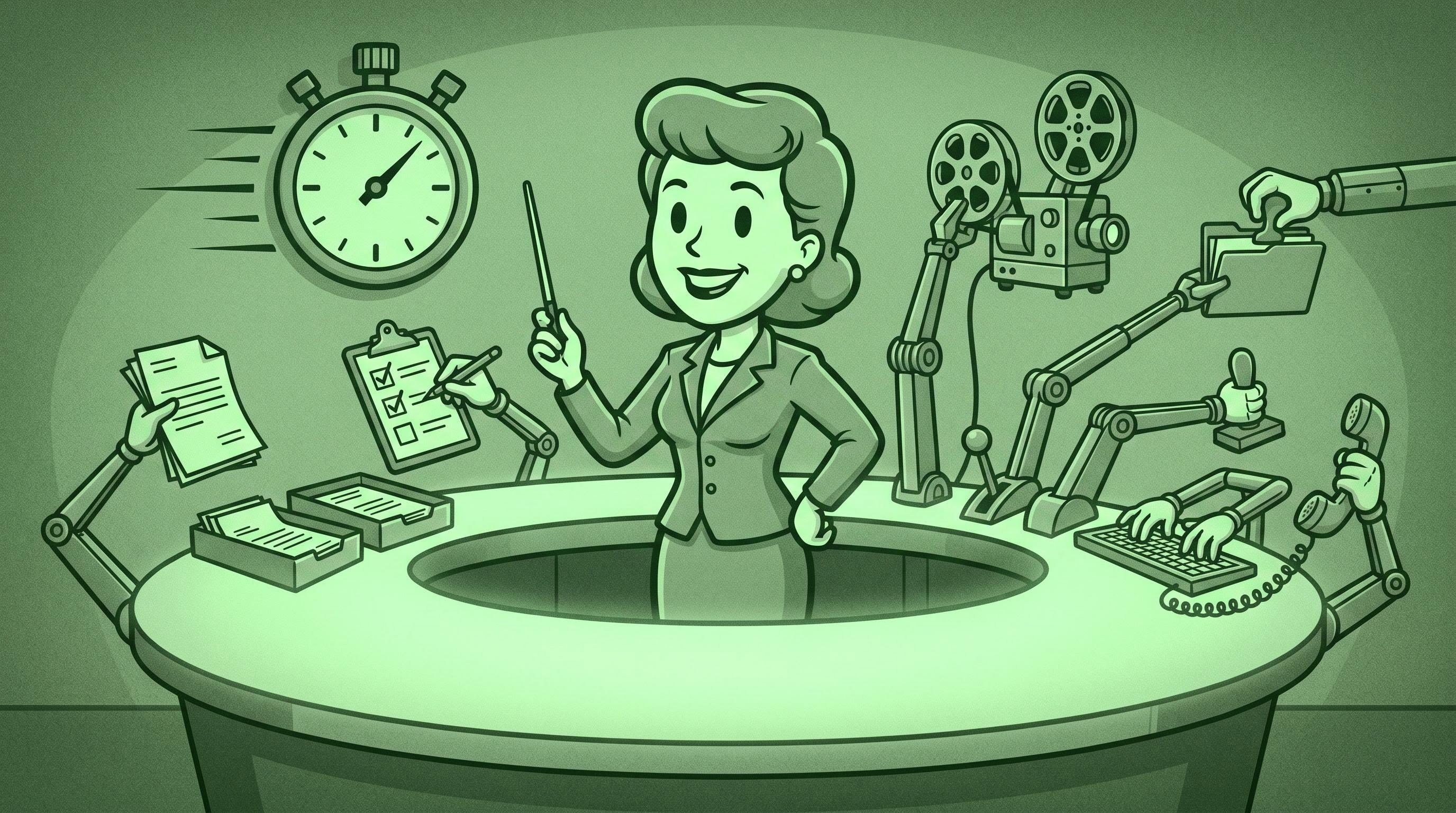
>TL;DR. Operations managers are the highest-impact AI buyer in an SMB and the most underserved by vendor pitches. These seven plays are role-specific, deployable in 2–4 weeks each, and cost between $20 and $300 a month: vendor invoice triage, cross-system reporting auto-summaries, a standup-to-status agent, new-hire onboarding checklists, SOP drafting from screen recordings, customer escalation triage, and quarterly review prep. Each section names the tools, the 30-day metric, and the failure mode. Shortcut: try the AI Tech Advisor for a recommendation tailored to your stack.
Key terms.
- Ops manager / Integrator — the person who runs the operating cadence. Owns SOPs, tooling, hiring rituals, vendor relationships, and the weekly heartbeat.
- Play — a tightly-scoped AI workflow with one job, one owner, one measurable output. Not a "platform" or a "strategy."
- Document AI — software that extracts structured fields from PDFs and images. Also called intelligent document processing (IDP).
- Human-in-the-loop — every play here assumes the ops manager reviews output before it acts irreversibly, at least for the first 60 days.
If you run operations at a 20-to-100 person company, every AI article on the internet was written for either the CEO or the marketing team. Almost nothing is written for the people who actually keep the company running: ops managers, integrators, and fractional COOs who own the calendar, SOPs, vendor list, onboarding doc, and the leadership update.
This is that article. Seven plays, each runnable in 2–4 weeks by one person without writing code, each scoped tightly enough to measure by Friday of week four.
We don't believe AI is replacing ops managers. The 60% of the week knowledge workers lose to "work about work" — chasing updates, switching between nine apps a day, searching for information that exists somewhere — is the ops manager's job to compress, and AI is the lever that compresses it (Asana, Anatomy of Work Index). For the broader frame, the AI No-Hype Guide for SMBs is the pillar; for agent patterns, see the AI agent stack guide.
Play 1: Vendor invoice triage and categorization
What it does. Vendor invoices arrive by email and PDF. A Document AI workflow reads each one, extracts vendor, line items, totals, and GL codes, then pushes the bill into QuickBooks Online or routes it to the right approver in Slack with a short summary. The ops manager stops being the human OCR layer between the inbox and the books.
The setup. QuickBooks Online ($35–$95/month) plus a Document AI tool such as Receipt AI, Tofu, or Docyt ($15–$60/user/month). Native QuickBooks Receipt Capture reads vendor, date, and total only — fine for a credit card receipt, useless for a 20-line wholesale invoice (Tofu, QuickBooks Receipt Capture vs. AI Invoice Processing, 2026). A line-item-aware tool extracts each line, codes it to your chart of accounts, and publishes. Time to ship: 2–4 hours of setup plus one week of tuning. Browse the operations and project-management tools we've reviewed for the categorization layer.
Success in 30 days. Time-to-categorize drops from 4–7 minutes to under 60 seconds. End-of-month close compresses by 1–2 days. Misclassification stabilizes under 3% after week two.
Where it breaks. Novel vendors on first encounter — one-off contractors, foreign-currency invoices, multi-PO bills. Build an exception queue from day one. Don't try to automate the approval decision in month one — automate extraction, route to a human, capture the decision in QuickBooks.
Play 2: Cross-system reporting auto-summary
What it does. Once a week, an automation pulls the last seven days of data from your project tool (ClickUp, Asana, Monday), CRM (HubSpot, Pipedrive), finance source (QuickBooks, Stripe), and any operations spreadsheet, then asks Claude or GPT to write a 300-word leadership update with the headline number, three highlights, and any flagged risks. The draft lands in the ops manager's inbox Friday morning to edit and forward.
The setup. n8n self-hosted (free) or Zapier ($19.99/mo, 750 tasks) plus a model API ($20–$80/month at SMB volume) plus the connectors. Time to ship: one weekend for v1, two weeks of prompt tuning to make the writing sound like your CEO instead of ChatGPT. Browse the automation and integration platforms we've reviewed for the orchestration layer. The trick is the prompt: don't ask the model to "summarize this data" — ask it to write the leadership update the ops manager would have written, with house style and the company's three priority metrics named explicitly. Worked example in our 5 AI automations piece.
Success in 30 days. Friday status update compresses from 90 minutes of hand-stitching to 15 minutes of editing. Leadership stops asking "where are we on X?" because the answer is in the email. Atlassian's State of Teams 2025 estimates Fortune 500 employees waste 2.4 billion hours per year searching for information (Atlassian, State of Teams 2025).
Where it breaks. Hallucinated metrics. The model will confidently invent a number if your data extraction is incomplete. Defense: feed structured JSON, not screenshots, and include "do not estimate; if a metric is missing, say MISSING" in the system prompt. Audit every Friday update for the first month.
Play 3: Standup-to-status-update agent
What it does. Whether your standup is async-in-Slack (Geekbot, Range) or live-on-Zoom, an agent takes the raw transcripts and posts a daily owner-facing report: who's blocked, what shipped yesterday, what's at risk. Different from Play 2 (weekly, leadership-facing); this is daily, team-facing.
The setup. Either Geekbot ($2.50–$4.50/user/month) plus a Claude API call, or — if you're using Granola for meetings — its native Slack auto-post for standups (Business $14/user/month, Granola pricing). For Zoom standups, Otter.ai or Fathom transcribes; n8n forwards the transcript to Claude with an "extract blockers, ownership, ETAs" prompt; the digest posts to a leadership channel. Time to ship: 4–8 hours.
Success in 30 days. Standups stay under 15 minutes because the documentation is automatic. The "what did everyone do this week" question disappears from one-on-ones. Asana finds 52% of employees multitask during virtual meetings; if the AI captures the output, that becomes acceptable rather than a productivity tax.
Where it breaks. Speaker attribution in multi-person Zoom calls — the AI mis-credits blockers to the wrong owner. Solve it by enforcing a "name yourself before you speak" convention, or use a tool like Granola that ties speaker identity to calendar invites. Other failure mode: your team starts performing for the AI summary. If standup speech gets more polished and less honest, kill the auto-post and remind everyone the AI is a scribe, not an audience.
Play 4: Onboarding checklist automation for new hires
What it does. When HR creates a new hire record in your HRIS (BambooHR, Rippling, Gusto), an agent reads the role, department, and start date, then generates a personalized onboarding checklist — accounts to provision, SOPs to read, intros to schedule, equipment to ship, licenses to assign. The checklist posts to a private Slack channel with the manager tagged; tasks land in your project tool.
The setup. HRIS as trigger, n8n or Zapier as connector, Claude Projects (Pro $20/mo) as brain — with your existing onboarding docs uploaded as Project knowledge — Slack and ClickUp as destinations. Time to ship: 6–10 hours, mostly spent organizing your onboarding SOPs into something Claude can read. Half the value is the documentation work the setup forces.
Success in 30 days. Time-to-productive for a new hire compresses by 2–4 days. The "what was I supposed to read in week one" question stops being asked. Manager satisfaction goes up because nobody is building the checklist from memory at 11pm the night before.
Where it breaks. Role variance. A new senior engineer needs different access, intros, and reading than a new junior CSM. Build separate templates for the top 6–8 roles you actually hire — that covers 90% of volume. The other 10% is a manual override.
Play 5: SOP drafting from screen recordings
What it does. Anyone on your team records themselves doing a recurring task — closing the books, processing a refund, onboarding a vendor — using Loom or Tella. The transcript and screen capture push to Claude, which drafts a structured SOP: prerequisites, steps with screenshots referenced, edge cases, rollback. The ops manager edits, approves, files. SOP debt drops from "we'll write it eventually" to "we wrote it the same week we did the work."
The setup. Loom Business + AI ($18–$24/user/month, Loom pricing) or Tella Pro ($19/user/month, Tella pricing). Both auto-generate transcripts. Pipe into Claude with a "draft this as an SOP using our template" prompt — you get a 70% draft on first pass. Time to ship: 2–3 hours plus a one-time SOP template lift.
A 12-minute screen recording captures what would otherwise take a 90-minute documentation interview; the AI draft saves another 60 minutes of structuring. For a team that should produce 20–30 SOPs a year and currently produces three, this play closes the gap.
Success in 30 days. SOP backlog shrinks visibly. Anyone can record-then-document a task without scheduling time with the ops manager. The owner-as-bottleneck pattern starts to break.
Where it breaks. Screenshot fidelity — the AI references "the third tab on the left" when the UI has shifted. Mitigate by including timestamps and naming the application in the recording narration. Bigger failure mode: un-reviewed SOPs going live. Claude drafts will sound right but get edge cases wrong. Mandatory rule: no AI-drafted SOP ships without an ops manager review and one test run by someone who hasn't done the task before.
Play 6: Customer escalation triage
What it does. When a support ticket lands in HelpScout, Intercom, or Zendesk, an AI classifier reads it, scores severity (urgent / high / standard / low), categorizes the issue, and — for anything urgent — pages the right owner in Slack with a one-paragraph briefing. Different from support deflection in our 5 AI automations piece, which is customer-facing. This one is internal: the agent helps the team triage faster.
The setup. HelpScout's native AI — AI Answers, workflow-based auto-routing — handles most of this for email-heavy teams (Help Scout, AI Ticket Routing, 2026). Intercom Fin operates with pay-per-resolution pricing, stronger for SaaS teams. For other stacks, use n8n + Claude as the classifier. Time to ship: 4–8 hours for the rules; two weeks of supervised tuning to get false-positives on "urgent" below 10%.
Success in 30 days. Median time-to-first-response on urgent tickets drops by 40–60%. Standard tickets stop crowding the urgent queue. Escalation conversations with the CEO compress because the briefing already exists.
Where it breaks. Tone calibration. A polite customer reporting a critical bug looks similar to a frustrated customer reporting a minor annoyance, and the AI can flip them. Defense: train on your historical "this was actually urgent" tickets, not on the literal text. Include account context (revenue, tenure, prior escalations) in the classifier input. Other failure mode: alert fatigue. If everything pages, nothing pages.
Play 7: Quarterly review prep
What it does. A week before the quarterly review, an agent pulls the last 90 days of data from your project tool, finance source, CRM, and any leading-indicator dashboard, then drafts the executive summary deck: trailing-quarter performance, what shipped, what's behind, the three biggest unknowns going into next quarter. Prep compresses from a 2-day fire drill to a 4-hour edit pass.
The setup. Same tooling as Play 2 (n8n/Zapier + Claude/GPT) with a different prompt scaffold and a longer time window. Add a Notion or Google Slides connector to drop the draft into the deck template. Time to ship: 8–12 hours for v1, run 4 times a year. Use the build-with-ai tools directory for the model layer.
The twist: include a "what's been said about this in all-hands and leadership updates over the last 90 days" pass, sourced from meeting transcripts. The deck reads as a coherent narrative — what we said we'd do, what happened, what's next — instead of a stat dump. McKinsey found AI high performers are 2.8x more likely to fundamentally redesign workflows around AI (McKinsey, State of AI 2025).
Success in 30 days. The first quarterly cycle that uses this pattern, prep windows halve and the leadership team shows up better-informed. Strategic conversation gets better because the table-stakes recap stops eating the agenda.
Where it breaks. Narrative drift. The model will round, soften, or omit unflattering numbers if the prompt doesn't say include the bad news, in plain language, with context. Write that in and audit aggressively. Other failure mode: over-automation. Do not let the agent draft the forward strategy. The leadership team sets that.
How to pick which one to run first
A four-question filter:
- Impact. Which costs the most time today? Add up hours per week.
- Frequency. Daily plays compound faster than quarterly ones. Plays 1, 2, 3, and 6 happen weekly or more often. Play 7 happens four times a year. Frequency wins for the first project.
- Data availability. Plays only work where the source data is already digital and queryable. If your invoices arrive on paper, Play 1 is a 90-day project, not a 30-day one.
- Owner capacity. Each play needs a single owner. If the ops manager is at 110% capacity, the right first play frees the ops manager's hours specifically (often Play 2 or 3).
For most 20-100 person companies we work with, the answer is Play 3 first, then Play 2, then whichever of 1, 4, 5, 6 maps to the team's biggest pain. Play 7 lands later — high impact, but it only pays back when the first quarter runs.
If picking still feels hard, the AI Tech Advisor walks through a 10-minute filter.
What ops managers should NOT automate yet
Three categories where AI is a worse choice than your judgment in 2026:
- Vendor negotiations. AI can summarize contracts, flag risky clauses, and benchmark pricing. It cannot read a vendor's CSM well enough to time the renewal ask, escalate to their VP, or trade off term length for discount.
- Hiring decisions. AI is fine for resume parsing, scheduling, and writing JDs. It is not fine for "do we say yes to this candidate?" The error mode is too consequential and the signal too qualitative.
- Customer escalations involving relationship history. Play 6 triages tickets. It does not write the apology email to the customer who's been with you four years and just got billed wrong twice. That email is hand-written every time.
The pattern: automate the information processing around a decision; keep the decision with the operator.
A note on adoption
Most ops AI projects don't fail because of tooling. The 2026 platforms are good enough. They fail because the ops manager builds the play, ships it, and the team keeps doing the manual version "just to be safe."
Two countermeasures: sunset the manual version explicitly when the play ships (the team has to use the AI version because the alternative no longer exists), and make the ops manager visibly use it themselves (if you still do quarterly prep manually because "this one's too important to trust the AI on," nobody else will trust it either).
Frequently asked questions
What's the easiest AI play for an ops manager to start with? Play 3 — the standup-to-status agent. It ships in under a day, costs less than $50/month, has a measurable output, and a low blast radius if it breaks. Play 2 is the next most common start.
How much should an SMB pay for ops AI tooling? A 20-50 person company can run all seven plays for $200–$600/month total. The seven plays use n8n (free self-hosted or ~$25/mo cloud), Claude or GPT API ($20–$200/mo at SMB volume), Granola or Loom ($15–$24/user/month), and a Document AI tool ($15–$60/mo). If a vendor is quoting you $5,000/month for "ops AI," you're being sold a platform, not a play.
Do ops managers need to learn coding to use AI? No. Every play here is buildable in a no-code or low-code tool. The skills that matter are prompt design and workflow scoping — both learnable in a week of focused effort. The AI agent stack guide covers the patterns in more depth.
How do I get my team to actually adopt an AI workflow? Sunset the manual version explicitly — don't leave the old way running in parallel — and demo the play in a team meeting with AI output side by side with the manual version. Adoption follows when the team sees the AI version is at least as good and twice as fast.
What ops tasks should NOT be automated? Vendor negotiations, hiring decisions, and high-context customer relationship moments. The pattern: automate information processing around a decision; keep the decision with a human.
Closing: ship one play this month
The seven plays are not a roadmap. They're a menu. Pick one, scope it tightly, ship a working version in 2–4 weeks, measure for 30 days, and either expand it or replace it with the next play. That cadence — one play per month, ruthlessly scoped, owned by one person — is the difference between ops teams that compound their AI investment and ops teams with a graveyard of half-built workflows.
If you want help picking, the AI Workshop is the fastest route — a 90-minute session, your stack, one shipped play by end of week one. To self-serve, the AI Tech Advisor and the operations and project-management tools directory cover the tooling layer.
Subscribe to The SMB Stack Letter for the next pieces in this series — role-specific AI playbooks for finance, sales, and customer support leads.
Author: STOA Digital Solutions — operations consultants, systems architects, and AI engineers helping SMBs build connected stacks that don't break the operator. We've shipped these seven plays across dozens of 20-to-100 person companies in 2025–2026.