
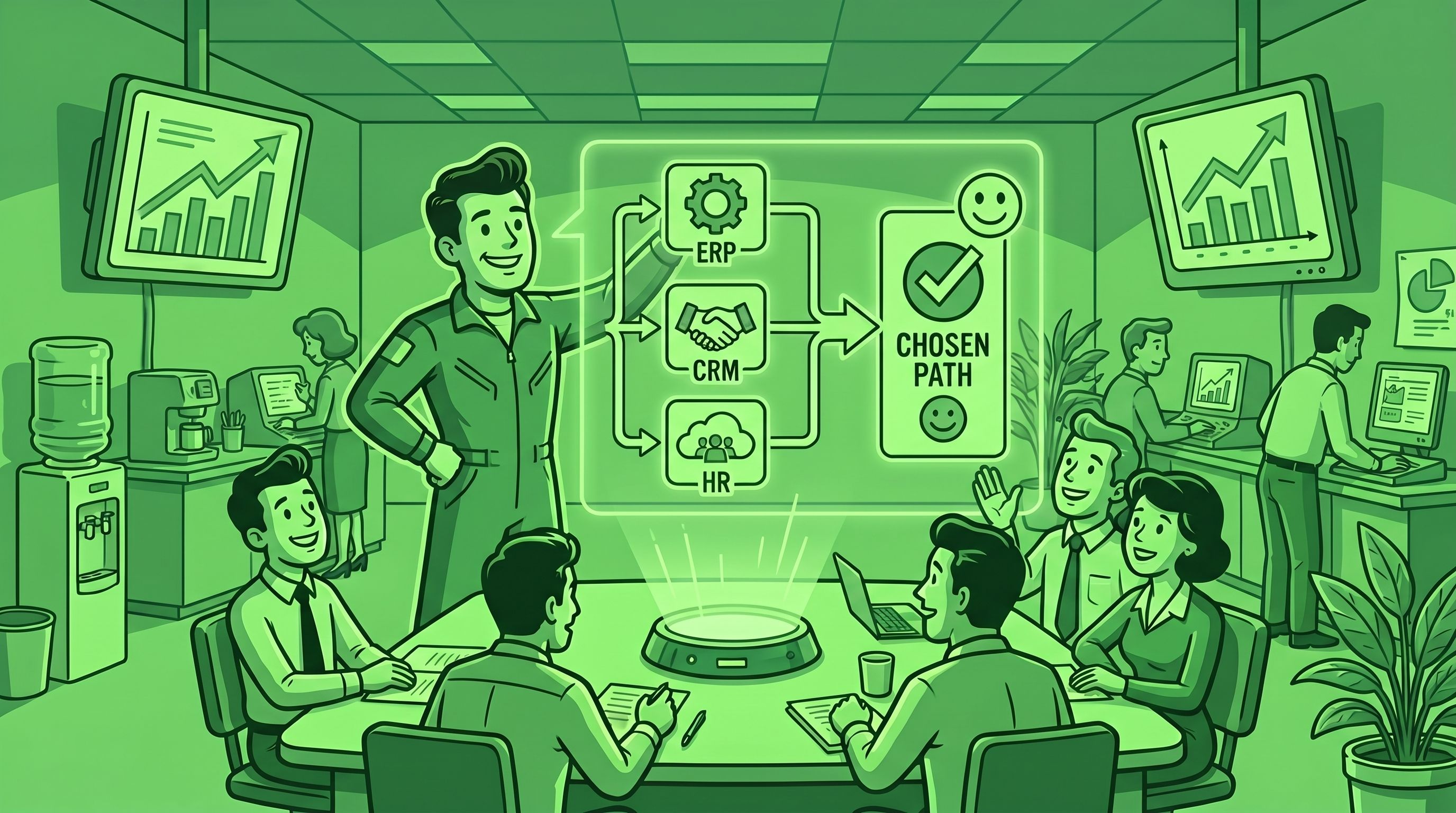
>TL;DR. Most SMB software regret happens before the demo, not after. The fix is to define the problem in business terms, map the integration boundary, build a shortlist by category instead of by Google search, run a real 3-week pilot, and price the total cost of replacement — not the per-seat sticker. Five steps, one decision you don't redo in 18 months. Start with the STOA tools directory when you're ready to look at options.
About 60% of small businesses regret their last software purchase. That's not a STOA stat — it's Capterra's 2025 Tech Trends Report, based on a global survey of 3,500 buyers. The same report found that disappointed buyers are about twice as likely to overspend on software again the following year. Regret compounds.
The conventional explanation is that vendors mislead, demos oversell, and implementation goes sideways. That story is partly true and entirely useless, because it puts the failure point at the end of the process. By the time the demo is bad, the contract is signed.
After auditing dozens of small business stacks, here's what we actually see: most software decisions go wrong in the first 30 minutes — long before the demo, before the pricing call, before the procurement form gets filled out. Owners search "best CRM 2026," click on three review sites, narrow it to five vendors that all advertise on those sites, and book demos with the two that look prettiest. The framework was already broken before the first salesperson opened their laptop.
This is the playbook to choose differently. It works for any software category, any business size between five and a hundred employees, any budget between $30 and $30,000 a month. Five steps. None of them require a procurement department.
Step 1. Define the problem in business terms, not software terms
The most expensive mistake in SMB software buying is leading with a vendor name. "We need to look at HubSpot." "I think we should check out monday.com." "Our accountant wants us to switch to NetSuite."
Wrong order. None of those sentences contain a problem. They contain a guess at a solution to a problem nobody has named.
The right starting sentence is shaped like this: "On {workflow}, we lose {time/money/customer} because of {decision-or-handoff} between {role-A} and {role-B}, and the data lives in {system or person's head}." That's the problem statement. It has a workflow, a measurable cost, a specific decision point, two roles, and a current data location. Once you can write that sentence, you know what you're shopping for. Until you can write it, you don't.
The three-question test before any vendor call
Before you book a single demo, force yourself to answer:
- What workflow is broken? Not "sales" — "the handoff from a closed deal in our pipeline to a kickoff meeting with delivery." Specific enough that you can describe what happens at every step today.
- What decision are you making faster, better, or for the first time? Software exists to enable decisions — to assign a lead, approve an invoice, schedule a service, prioritize a ticket. If you can't name the decision, you're buying a database, not a tool.
- What data crosses the boundary, and who owns it on each side? Customer records cross from the website form to the CRM to the billing system. Project data crosses from the proposal to the project tool to the invoice. If the data has no owner on one side, the integration will fail.
The owners who work through these three questions before opening Google end up evaluating two or three vendors instead of fifteen, and they pick a tool that fits the workflow instead of one that fits the marketing.
Why "best of" lists are dangerous at this step
Capterra, G2, Software Advice — these are useful tools at step three of this framework. They are catastrophic at step one. The reason is straightforward: review sites organize software by category, not by problem. If you go to a CRM list before you've defined your problem, you'll spend an hour comparing pipeline visualizations and forecasting features. None of that matters if your real problem is that your salespeople refuse to log calls because the CRM has 47 required fields.
The problem definition is upstream of the category. Get it right and the rest of this gets ten times easier.
Step 2. Map the integration boundary
Anything you buy must talk to your existing stack. That sentence is so obvious it's almost embarrassing to write — and yet roughly half the regretful purchases we audit failed at this exact point. The new tool worked great in isolation. It didn't work in the room with the other tools. So it became another data silo, with another login, generating another export-and-paste workflow for somebody on the team.
The 2024 MuleSoft Connectivity Benchmark Report found that 67% of IT leaders cite data silos as their top integration challenge. For SMBs without IT staff, the number is functionally 100%. Every tool you buy will, by default, become a silo. The question is whether you have a plan to bridge it before you sign.
The integration boundary in plain English
Every new tool sits at the edge of a system that already exists. The "integration boundary" is the line between the new tool and the rest of your operation. Before you choose a vendor, you need to know exactly what crosses that line, in which direction, on what schedule.
Three questions answer it:
- What needs to flow IN? Who creates the data this tool needs? A CRM needs leads coming in from your website forms, your inbox, and your event sign-ups. A project management tool needs deals that closed in the CRM. An invoicing tool needs hours that were logged somewhere else.
- What needs to flow OUT? Where does the data this tool produces need to land? Closed deals need to reach accounting. Logged hours need to reach payroll or invoicing. Support tickets need to reach the customer record.
- Where does the integration happen? Native (the vendor built a direct connector — usually best), via an integration platform like Zapier, Make, or n8n (great for SMBs, $20–$300/month), or custom-coded (avoid unless you actually have no other option).
Run this on the four critical bridges every SMB has: accounting, CRM, project management, and email/calendar. If a candidate tool can't connect to those four — through native integration or a major iPaaS — knock it out of the running. Your stack will not function as four parallel islands.
A worked example: choosing a help desk
Imagine you're a 20-person services business choosing a customer support tool. You currently use HubSpot for CRM, QuickBooks Online for accounting, and ClickUp for project work.
What flows in? Inbound emails from customers, contact form submissions from the website, identity match against the HubSpot customer record so the agent sees who they're dealing with.
What flows out? Ticket status to the project management tool (so account managers see what's on fire), customer-level metrics to a dashboard (so you can see which clients generate disproportionate support load), billable time on premium-tier customers to QuickBooks.
Where does it happen? A native HubSpot ↔ help desk integration covers the customer match. A Zapier route handles ticket status to ClickUp. QuickBooks billable time goes through a pre-built connector or skips QuickBooks and ends up in a monthly summary email.
Now you have a real shortlist filter: any help desk that doesn't have a native HubSpot integration is out. Any one that requires custom code to push status to ClickUp is out. You've eliminated 80% of the market without booking a single demo. We covered this discipline in detail in our Systems Integration Guide for SMBs — that's the deeper read on integration thinking if you want it.
Step 3. Build the shortlist using categories, not Google
Once you know the problem and the integration boundary, you need three to five candidate tools. The temptation is to search "best [category] 2026" and click. Don't.
Three reasons. First, "best of" articles are advertising in disguise — most of them are paid placements or affiliate-driven roundups, and the ranking has more to do with marketing budgets than fit. Second, those lists optimize for the median buyer, which is rarely you. Third, they collapse the shortlist to whoever buys ads on review sites, which is a self-selecting group of well-funded vendors.
The 2025 G2 Buyer Behavior Report shows the shortlist mechanics shifting fast. About 17% of buyers now say GenAI chatbots are the top influence on their shortlist, edging out review sites at 15%. That's a structural change — and it's making the problem worse, not better, because LLMs aggregate the same paid-placement content the review sites do.
Here's how to build a real shortlist instead.
Three legitimate sources for category candidates
- Curated category directories that disclose how they rank. The STOA tools directory groups software by the business problem it solves — close deals, get paid, run projects, find customers — instead of by abstract category name. Each category page lists the tools we've actually evaluated for SMB use, with the integrations that matter and the disqualifiers that don't show up in marketing copy. If you'd rather start with a question than a category, the STOA AI Advisor takes a problem statement and returns three candidates with the reasoning attached.
- Peer networks of operators in similar businesses. Three or four owners running businesses your size, in your industry, will give you better signal in 20 minutes than a week of Google research. They know which tools they actually use versus which they pay for and forgot. They know which vendors get acquired by private equity and gut their support teams. They know which integrations break in year two. Spend the social capital — most owners are happy to answer.
- Specialized category-by-category roundups by writers who name their methodology. A few independent reviewers — not the SEO-driven sites — actually use the products and write opinionated comparisons. Find them by searching for the specific tradeoff you care about, not the category. "n8n vs Make for branched logic" finds better content than "best automation tool 2026."
The shortlist test: 3 to 5 candidates, not 15
The Gartner research on B2B buying journeys is clear: buyers shortlist five vendors on average, but only have meaningful engagement with two or three. More than five is noise. Less than three and you'll get bullied by your own biases.
Aim for three solid candidates that pass the integration boundary test. Reject anything that fails. If you can't get to three after a serious search, your problem definition is too narrow — go back to step one.
A note on the "we just go with the obvious leader" trap
Sometimes the obvious leader is the right answer. HubSpot, Salesforce, monday.com, ClickUp, QuickBooks — these win for a reason. But the reason isn't "they're best for everyone." It's "they win for a particular shape of business with a particular set of needs."
If you're a 12-person services business and your shortlist is HubSpot, Salesforce, and Microsoft Dynamics, you've shortlisted three CRMs designed for very different buyer profiles than yours. Salesforce won't kill you, but it will overcharge you for features you'll never use, and the implementation burden will eat six months of your life. The discipline at this step is matching the candidate to your business shape, not the loudest name in the category.
Step 4. Evaluate with a 3-week pilot, not a 30-minute demo
The single biggest leverage point in software buying is here. Vendor demos are theater. They're scripted, optimized for the happy path, performed by a sales engineer who can drive the product blindfolded. They tell you what's possible. They tell you nothing about whether your team, on your data, doing your workflows, will actually use the thing 60 days from now.
This is where Capterra's regret data hits hardest. The 2025 report found that regretful buyers spend an average of five months evaluating software, while successful buyers spend three months or less. The intuition is "more research is better," but the data says the opposite — long evaluations stall in the demo phase, where you're collecting more sales pitches instead of more evidence. Successful buyers do less talking and more piloting.
The 3-3-3-3 pilot framework
Replace your 30-minute demo with a three-week structured pilot, on three workflows, with three actual users, against three success metrics.
Three weeks. Long enough to get past the new-tool excitement, short enough that a vendor will give you the access for free. Most reputable vendors will offer a 14-day trial; ask for an extension to 21 days when you tell them you're running a structured pilot. If they won't budge, that's signal — it usually means their product takes longer than 14 days to deliver value, and they're hoping you won't notice during a free trial.
Three workflows. Pick the three highest-volume or highest-stakes workflows you actually do today. Not the demo's "our most popular use case." Yours. If you're piloting a CRM, run: lead capture from your website, an actual deal you're trying to close, and a renewal conversation with an existing customer. If you're piloting a help desk, run: a tier-one ticket, an escalation, and a billable engagement. Three is the magic number — fewer and you'll miss edge cases, more and the pilot drowns.
Three real users. Not the owner. Not the most enthusiastic early adopter. Three people who do the work, including at least one who would rather not learn a new tool. If the skeptic is using it voluntarily by week three, you have a winner. If the skeptic is finding workarounds, you're about to make a $50,000 mistake.
Three success metrics, defined upfront. Pick the metrics before the pilot starts. "It feels nicer" is not a metric. "Time-to-first-response on inbound leads drops below four hours" is. "All three pilot users complete a full workflow without asking for help by day 14" is. "At least one workflow we couldn't do in our current stack becomes possible" is. Write them down, share with the team, judge against them at the end.
Red flags during the pilot
- The vendor won't let you use real data. Sometimes this is legitimate (security, contract terms). More often it means the product breaks on real-world data shapes and they want you to evaluate against their cleaner sandbox. If they won't budge, kill the pilot.
- Implementation requires a "success engineer" or "professional services" engagement to do basic things. Translation: the product is harder to use than the demo showed. Budget another 20–40% of license cost for ongoing services.
- Pricing is unavailable until you talk to sales. Almost always means the price is a function of how desperate they think you are. Walk if you can; negotiate harder if you can't.
- No reference customers your size. If a vendor sells primarily to enterprise and you're a 30-person company, you'll get enterprise pricing, enterprise support friction, and enterprise-grade complexity for problems that don't need any of it. Ask explicitly: "Can you connect me with three businesses our size who've been on the platform for at least 12 months?" If they can't, you're a beta tester.
The single most underrated pilot question
At the end of week three, ask each pilot user one question: "Would you go back to the old way?" If the answer isn't an immediate, unforced "no," the tool isn't winning. Pretty interfaces and nice features lose to "this saves me 30 minutes a day." That's the bar.
Step 5. Negotiate from the integration cost, not the per-seat cost
Software pricing is theater that obscures total cost. The vendor quotes you $50/seat/month for 20 seats and your brain calculates $12,000/year. That's the floor of your real cost, not the ceiling.
Independent TCO research consistently finds that subscription fees account for about 25–40% of the three-year total cost of ownership for B2B software. The other 60–75% is implementation, integration, training, ongoing customization, and the change management nobody put on the line item. For a $12,000/year sticker price, you're really committing to $30,000–$48,000 over three years before you account for the cost of switching out of it later.
If you only negotiate the per-seat number, you're optimizing the smallest variable.
The four real cost buckets
- License cost (per-seat × users × years). The visible number. Negotiate it, but don't fixate. Multi-year discounts are usually worth taking only if the tool has been pilot-validated; otherwise the discount locks you into a product you'll replace anyway.
- Integration cost (one-time + ongoing). Native integrations are free or low-cost (the vendor built them). iPaaS-based integrations (Zapier, Make, n8n) cost $20–$300/month plus 2–10 hours of setup time per connection. Custom-coded integrations start at $5,000 and can run to $50,000+, with ongoing maintenance. For most SMBs, the integration cost over three years is 30–60% of the license cost.
- Change-management cost. Training, documentation, the productivity dip during rollout, and the risk that one or two team members never adopt and you keep paying for shelfware. Productiv's 2025 SaaS data shows that 51% of SaaS licenses go unused — the highest waste rate ever recorded — and only 49% of users are "active" in any 30-day window. The default state of new software is "nobody uses it." Budget time and money to fight that default.
- Replacement-opportunity cost. What does it cost to leave the tool 24 months from now if it doesn't work? Data export, retraining, integration teardown, the operational pause while the new tool comes up. This is the cost nobody plans for and everybody pays. Estimate it at one-third to one-half of the original implementation cost, and use it to value stability over feature shine.
How to actually negotiate
When the vendor sends you a quote, don't respond on price. Respond with a list:
- "Here are the four integrations we need. Which are native, which require an integration partner, and what does each one cost in your standard configuration?"
- "Here's our planned pilot. Confirm we can run it on real data with three users for three weeks, and that an extension is available if our team needs it."
- "Here's our timeline to full adoption — 90 days. What does your customer success team commit to in writing for the first 30, 60, and 90 days?"
- "What's the data export procedure if we leave? Format, frequency, completeness."
Vendors will discount on price all day; they hate committing to outcomes. The better your shortlist, the more competitive pressure you have, the more they'll negotiate non-price terms — which is where the real money is. The deals where we save SMB clients the most are rarely about list price. They're about pilot terms, integration commitments, and exit clauses.
5 reasons SMBs regret software they bought
Once you understand the framework, the regret patterns become predictable. Almost every regretful purchase we audit traces back to one of these five failures.
1. FOMO and hype-driven buying
The owner read a LinkedIn post, watched a webinar, or talked to a peer who sounded excited. None of that's a reason to buy. But it consistently is. The 2025 G2 data shows GenAI chatbots and review sites driving more shortlist decisions than ever, which means more buying happens on social proof and less on problem-fit. If you can't write the three-question problem statement from step one, the FOMO is making the decision.
2. Vendor lock-in via proprietary data formats
Some vendors deliberately make leaving expensive. Custom data schemas, no clean export path, integrations that only work in the vendor's ecosystem. This is rare in mainstream SMB software but common in industry-specific verticals (legal practice management, contractor scheduling, salon software). Always ask about export format and procedure before you sign. If the answer is vague, the lock-in is intentional.
3. Integration blowback in year two
A tool buys the deal in year one because it had a slick UI. Two years in, it's the cause of every reporting headache because nothing else in the stack talks to it. The integration boundary work in step two prevents this. The owners who skip step two pay for it 18 months later, almost without exception. We covered the operational version of this problem in our Systems Integration Guide.
4. License sprawl
The 51% unused-license rate from Productiv isn't an enterprise-only problem. We audit small businesses and find people paying $200/month for tools nobody opens, $80/month for the previous CRM nobody migrated off, $40/month for a Slack alternative the team abandoned in 2024. The default is for licenses to accumulate. The discipline is a quarterly review of every recurring software charge against actual use — and the willingness to cancel.
5. Change-management neglect
The tool wasn't the problem. The team was never trained. The workflows weren't redesigned around it. The owner bought a $20,000/year platform and gave the team an hour-long Zoom training and a PDF. The Capterra data is unambiguous on this point: SMBs blame their software regret on poor implementation more than enterprises do. Implementation isn't a vendor responsibility. It's the buyer's job, and it's the line item that gets cut first.
When to bring in outside help
Most SMBs can run this framework alone. The five steps don't require a procurement team or a CIO; they require a few hours of disciplined thinking and the willingness to say no to the easy answer. If you've never made a regretful software purchase, you probably don't need help.
If you've made one or two and you're staring at the next decision, an outside opinion is cheap insurance. The 2025 Capterra report found that regretful buyers are about twice as likely to overspend again the next year — the regret pattern is sticky. Breaking it usually requires a different perspective on the problem definition, not a longer demo.
A consultant earns their fee in the first 30 minutes if they ask better questions than you've been asking yourself. The right question at step one ("What workflow is broken?") is worth more than ten hours of vendor demos at step four.
What to do this week
If you're mid-decision on a software purchase right now:
- Today. Stop researching vendors. Open a blank document. Write the three-question problem statement from Step 1. If you can't fill in all three blanks in 15 minutes, your problem isn't yet defined.
- This week. Map the integration boundary. Four bridges: accounting, CRM, project management, email/calendar. Which of those does the new tool need to talk to, in which direction, on what schedule?
- Next week. Build a shortlist of three to five candidates that pass the integration boundary test. Use a curated directory like STOA's tools index or the AI Advisor instead of a Google "best of" page.
- Weeks 2–4. Run the 3-3-3-3 pilot. Three weeks, three workflows, three users, three metrics. Real data, real conditions.
- Before signing. Negotiate from total cost, not per-seat. Get integration commitments and exit terms in writing.
If you'd rather get a second opinion before you sign, we offer a free Stack Audit — 30 minutes, video call, no pitch. We look at the decision in front of you and tell you, plainly, what to push on and what to walk away from. Get in touch if that's useful.
Frequently asked questions
How do I avoid buying software I'll regret?
Define the problem in business terms before you look at any vendor — name the workflow, the decision being made, and the data crossing between roles. Map the integration boundary against your four critical bridges (accounting, CRM, project management, email/calendar) before booking demos. Build a shortlist by category-fit, not Google ranking. Run a 3-week pilot with real data and three real users instead of a 30-minute demo. Negotiate from total cost of ownership, not per-seat pricing. Following those five steps cuts regret rates dramatically because most software regret happens upstream of the demo, not at it.
What's the biggest software-buying mistake SMBs make?
Leading with a vendor name instead of a problem statement. The 2025 Capterra Tech Trends Report found that about 60% of SMBs regret a recent software purchase, and the most common shared cause is buying reactively — searching for "best CRM" or hearing about a tool from a peer, then evaluating vendors before clearly defining the workflow that's broken. The fix is mechanical: write a sentence that names a workflow, a decision, two roles, and a data location before opening any review site.
Should I use a software comparison site like G2 or Capterra?
Yes, but at the right step. Comparison sites are useful at the shortlist stage (step three of this framework) once you know your problem, your integration needs, and your business shape. They're harmful at the problem-definition stage because they organize software by category rather than by problem fit. Treat reviews as one input among several — peer recommendations and curated directories like the STOA tools index are equally important, and review-site rankings are heavily influenced by vendor marketing budgets.
How long should I pilot software before buying?
Three weeks on real workflows with real users, not a 30-minute demo. The Capterra 2025 data shows that successful buyers actually spend less total evaluation time than regretful buyers — three months versus five — because they pilot decisively instead of collecting demos endlessly. Most reputable vendors offer 14-day trials; ask for a 21-day extension when you tell them you're running a structured pilot on three workflows, three users, and three success metrics. If a vendor won't extend a free trial for a serious buyer, that's signal about how much value the product delivers in week one versus week three.
When does it make sense to hire a consultant for software selection?
When you've made one or two regretful purchases recently, when the decision affects more than 10 people or runs more than $1,500/month in license cost, or when the integration boundary involves three or more existing tools. Consultants earn their fee at step one (better problem definition) and step five (better negotiation terms), not in vendor recommendations. A 30-minute conversation that reframes the workflow you're solving for can save six months of implementation pain. If you're choosing a single low-cost tool for a well-understood problem, run the framework yourself — you don't need help.
About the author. Alejandro Morales is a senior operations consultant and systems architect at STOA Digital Solutions. STOA helps SMB owners ($500K–$20M revenue) choose the right software, connect it, automate routine work, and build operations that don't depend on the owner being in every meeting. Based in the Triangle, NC; serving the US.
Sources cited.
- Capterra — 2025 Tech Trends Report. Global SMB software buyer survey of 3,500 respondents on regret, evaluation time, and overspending patterns.
- Capterra — Businesses With Disappointing Software Purchases Twice as Likely to Overspend in the Next Year (October 2025).
- Productiv — Less Than Half of Company SaaS Applications Are Regularly Used by Employees (2025). License utilization and SaaS waste data.
- G2 — 2025 Buyer Behavior Report. Survey of 1,169 B2B decision-makers across NA, EMEA, and APAC on shortlist sources, AI search adoption, and vendor engagement counts.
- Gartner — Research Rundown: Trends in the 2025 Software Buyer Journey. B2B buying journey research on shortlist size, vendor engagement, and self-service regret.
- MuleSoft (Salesforce) — Connectivity Benchmark Report 2024. IT leader survey on data silos as the top integration challenge.
- STOA Digital Solutions — operational observations from SMB software-selection engagements, 2024–2026.